Landing Page Tab
The Landing Page Layout panel shows where the description and the products appear on the landing page in light mode and dark mode.
Use the Landing Page Description editor to write the content to display above the products on your landing page. You can include a welcome message, images, or other helpful content. The description can be up to 10,000 characters. The character counter below the editor shows how many characters you have used. The editor supports rich text formatting, including headings, bold, italic, strikethrough, blockquotes, bulleted and numbered lists, tables, images, links, and HTML snippets.
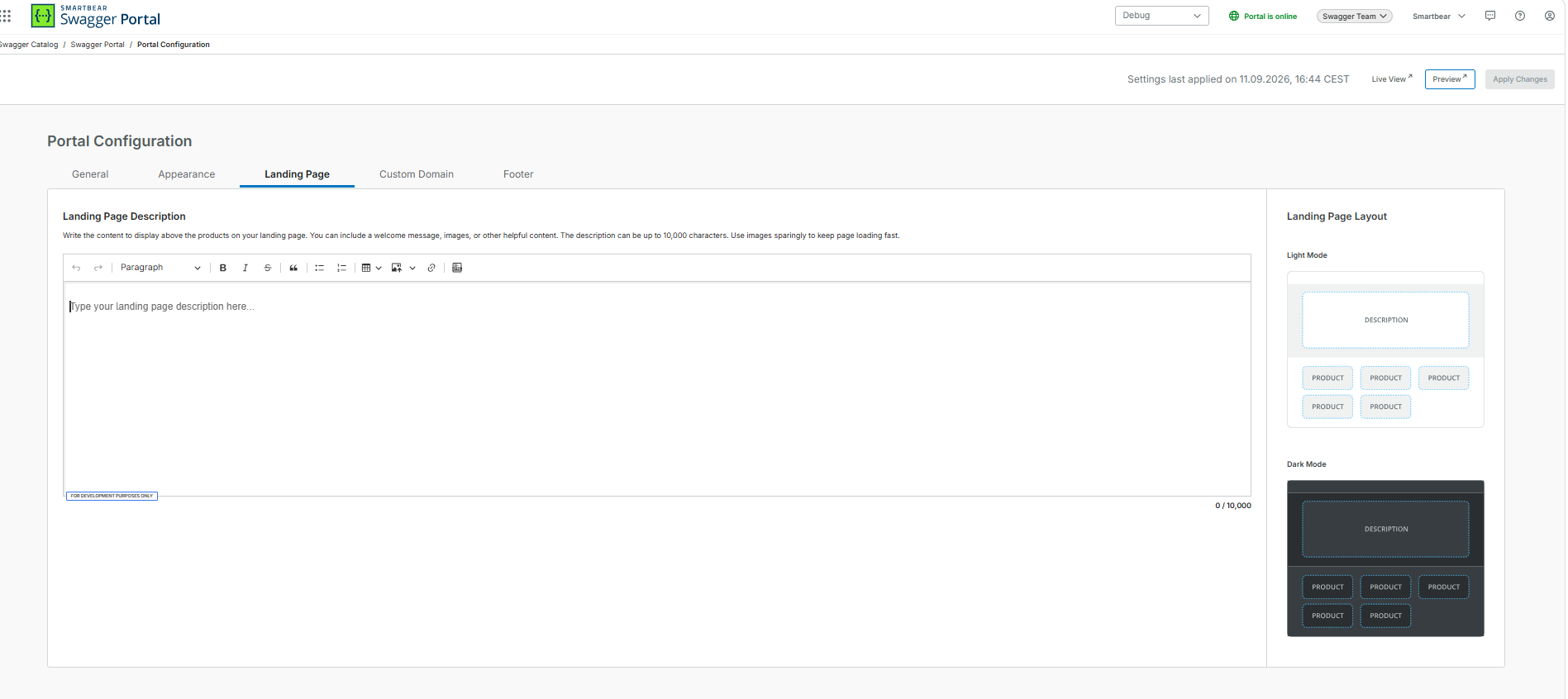
To edit the landing page description:
In the Portal Configuration page, select the Landing Page tab.
In the Landing Page Description editor, enter your content.
Optional: To check how the page looks, click Preview.
Click Apply Changes.